Postage zones and services
A zone is a group of countries with one way of pricing postage and a few rules on top. Make as many zones as you need, each with its own services and prices, and customers pick their region in the basket.
Everything here lives on the Shipping tab.
As many zones as you need
The Add zone button on the Shipping tab creates a new zone whenever you want one. Post to the UK at one set of prices and to Europe at another, or keep a single zone if you post to one region - both are the free plugin, and there is no limit on how many zones you make.
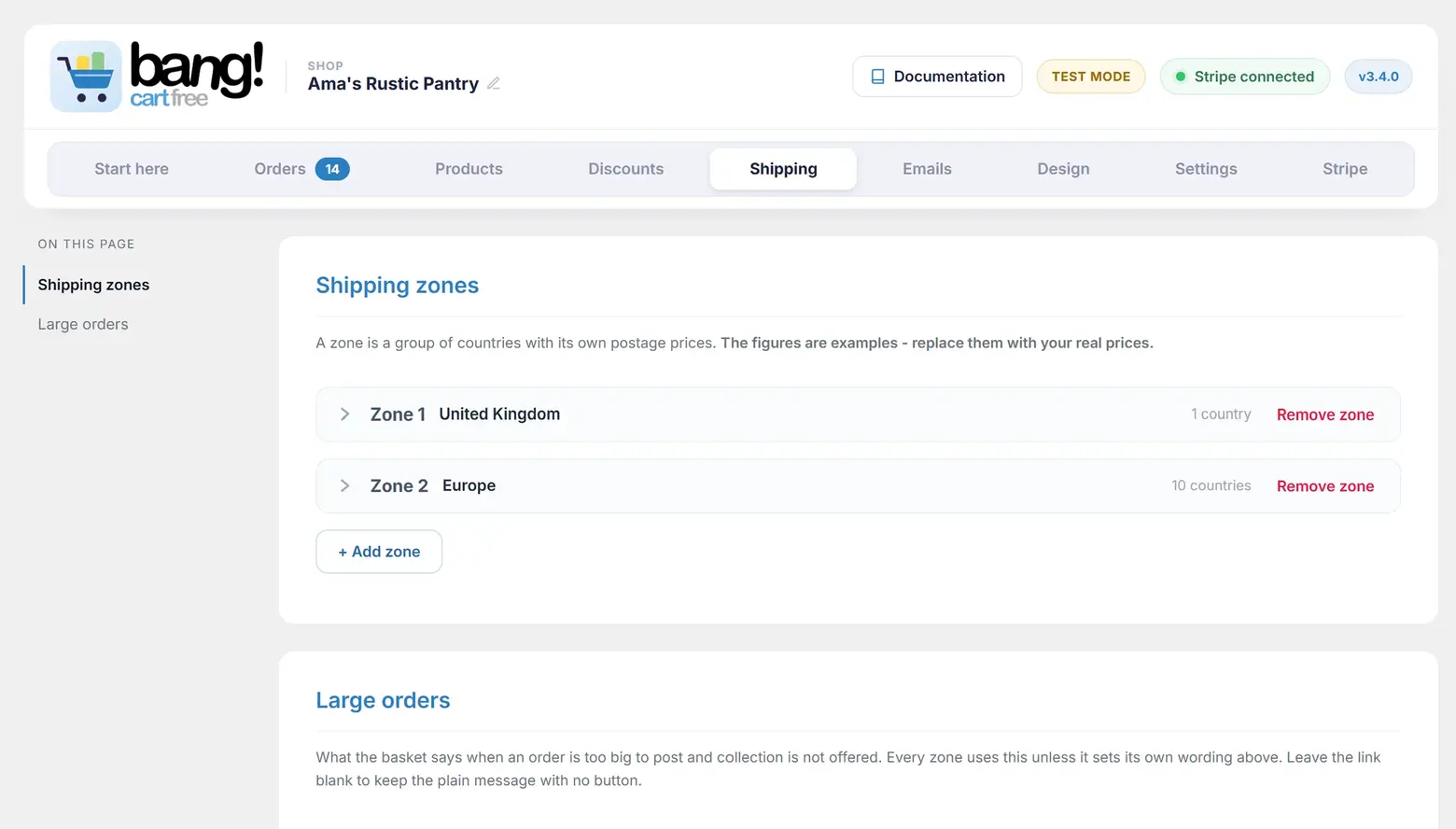
Each zone is self-contained: its own countries, its own named services and prices, its own pricing mode, its own free-postage threshold, its own collection choice, and optionally its own large-order message. Nothing set in one zone leaks into another.
A zone needs its countries ticked to sell postage. If a zone somehow has priced postage but no countries, checkout refuses the posting order with a clear message rather than taking payment with nowhere to send to - collection from that zone still works, since collecting needs no countries.
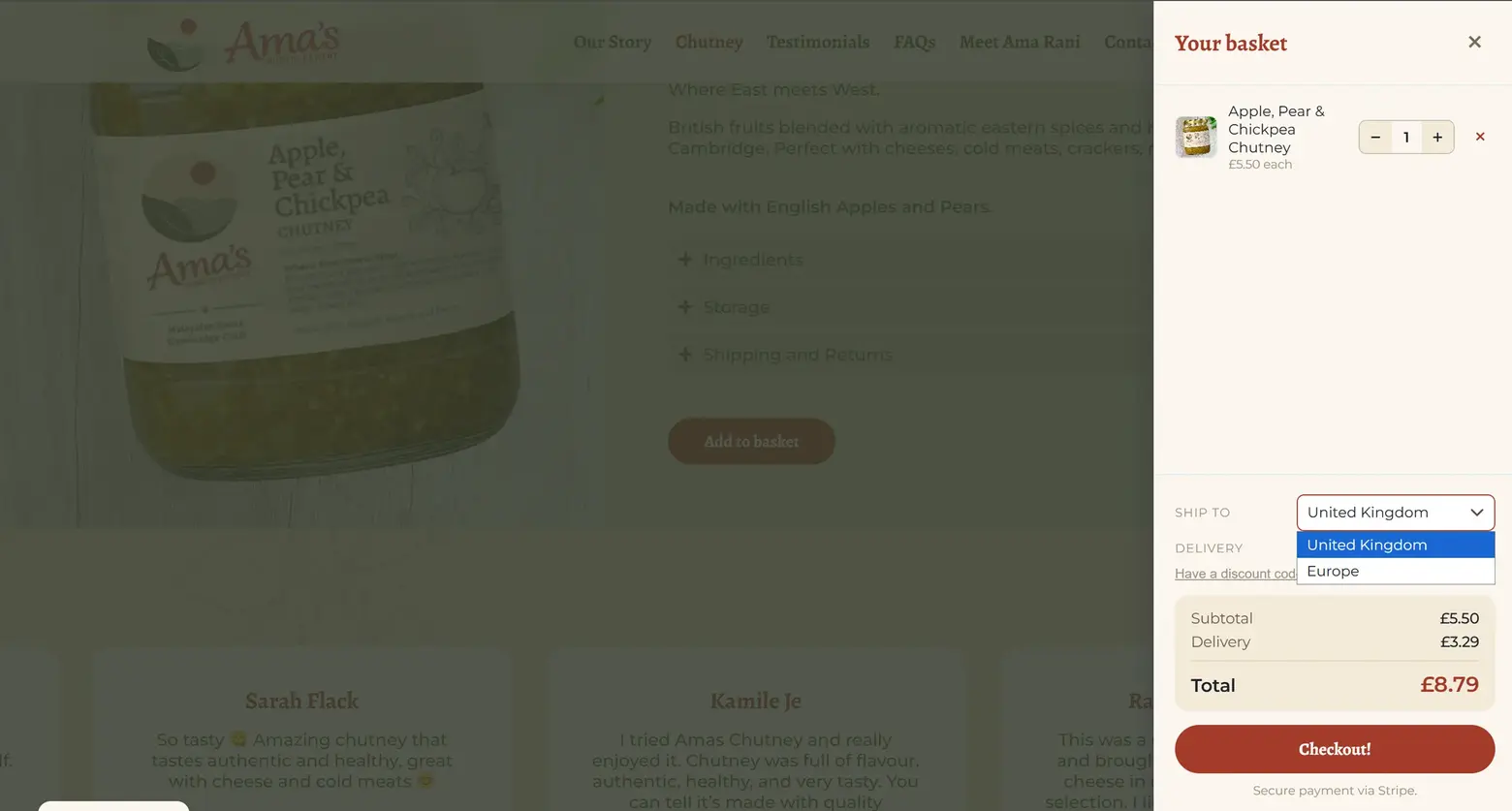
In the basket, what the customer sees follows how many zones you sell from. With one zone, its region is named as plain text, so it is clear who the delivery is for. With several, the customer picks their region and the postage quote follows their choice.
The two pricing modes in the free plugin
| Mode | How it prices |
|---|---|
| Flat rate | One price per service, whatever the basket holds. Standard £3.29, Tracked £5.70, and that is what they cost. |
| First item + each additional | A price for the first item and a smaller one for each after it. Twelve items at £3.29 first and £0.50 each after costs £8.79. |
You name the services yourself. Standard, Tracked, Next day, or whatever your carrier calls them. Each zone has three service slots; use one, two or all three.
Two more modes come with Bang! Cart Pro: By number of units, which prices in bands ("1 to 3 items £3.29, 4 to 6 items £5.70"), and By basket value, which prices in bands on what the order is worth. Both are set per zone. More on Pro.
A price of 0 means the service is not offered. It does not mean the service is free. This catches people out, so it is worth saying twice: to give away postage, use Free postage below, not a price of zero.
Free postage over a spend
Set a trigger, either Over a spend or Over a quantity, and a threshold. Baskets past it get free postage, for everyone, with no code needed. The spend is measured on the goods total after any discount has applied, so during a sale a basket has to clear the threshold at its discounted price.
One detail matters more than any other here, and older documentation got it wrong:
Exactly one service becomes free, not all of them. You nominate which, under Which service is free, and the default is "Cheapest (recommended)". Your other services stay payable, as upgrades. So a £40 basket gets free Standard delivery and can still pay the difference for Next day, which is almost certainly what you meant.
The free service sorts to the top of the customer's list, so it is the one they see first.
Capping what you will post
Maximum units per order, under Order limit, refuses to quote postage for a basket bigger than you are willing to pack. Leave it empty or set it to 0 for no limit.
This is a physical constraint rather than a pricing one: three jars fit a box and twelve do not. Rather than guessing a price for a parcel you cannot actually send, the plugin blocks the order and tells the customer why.
Collection is never blocked by this limit. An oversized basket in a zone that offers collection keeps the collection option and gets a note explaining the position, instead of dead-ending.
Large orders
When a basket goes over the limit, the customer sees a message. You can write it yourself on the Shipping tab, using {limit} and {over} as placeholders for the numbers, both of which are click-to-copy. Your message is used on both sides of the limit: as the blocking message where there is no collection to fall back on, and as the explanatory note - with the collection offer after it - where there is.
Better still, you can give that message a way out. Add a link and a button label and the customer gets a route through to your contact page instead of a flat "please remove some". The button opens in the same tab and closes the basket first, so a link to a section of the same page is not left sitting behind the drawer. The link appears only when the basket is actually blocked - a zone with collection already has its way through, so the note there carries your words but not the button.
Set one message for the whole shop, or tick Give this zone its own large-order message to word it differently in a particular zone. That switch is off by default, and while it is off the zone quietly uses the shop-wide settings rather than repeating them back at you.
Switching a zone off
A switched-off zone keeps its countries, services and prices but disappears from the basket entirely, including its collection option. If you want to stop posting but still allow collection, leave the zone on, clear its postage prices, and tick collection.
If every zone is off, nobody can check out at all, and the plugin puts a warning across your admin saying exactly that.
If postage stops quoting
A zone priced with one of the band modes cannot be priced by the free plugin alone. Rather than falling back on another mode's figures and charging a postage you never set, the plugin says so visibly: the zone shows a NO POSTAGE badge with a note explaining that its pricing mode was set by an add-on that is not active. Its prices are kept safe, but cannot be edited or charged. Collection still works.
You have two ways forward: reactivate the add-on and the prices come back untouched, or open the zone and choose Flat rate or First item plus each additional and price it without one. A wrong charge is worse than a zone quoting nothing, which is why it will not guess.
What is not here
No weight-based postage, and no per-product shipping classes. Postage is priced on what is in the basket, not on what it weighs. If your shipping genuinely depends on weight, this is the point at which a full store platform is the right answer.
Still stuck?
Write to me and it is me who answers, not a ticket queue. Tell me what you expected and what happened instead.


