Sending invitations
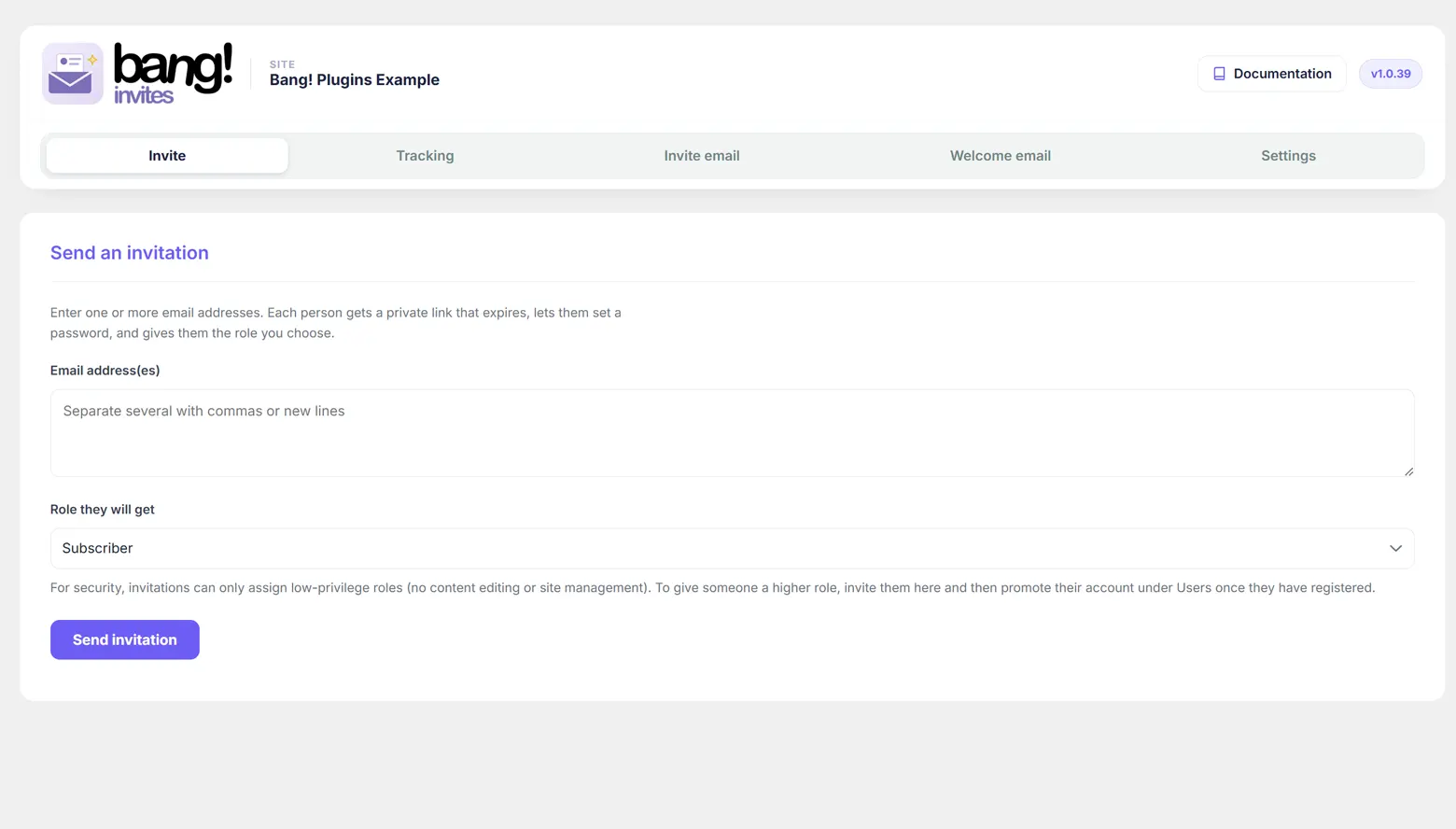
Two fields and a button. What is worth knowing is what happens behind them, and what each of the four replies means when a send does not go entirely to plan.
Sending one, or fifty
Type an email address into the box and press Send invitation. For several people at once, separate the addresses with commas, spaces or new lines, in any mixture. Pasting a column straight out of a spreadsheet works.
Each address is handled on its own. One bad address in a list of forty does not stop the other thirty-nine, and the reply tells you exactly which ones did not go.
The role
Role they will get defaults to whatever you set as the default on the Settings tab, and you can change it for this send without changing the default. The list is deliberately short: an invitation can only ever grant a low-privilege role. Roles and security explains why, and what to do when the role you want is not offered.
What happens when you press send
- A record is created for that address, holding a random 20-character code, the role you chose, and an expiry date calculated from the Invite expires after setting.
- Any earlier record for the same address is cleared first, whether it was pending or accepted. Re-inviting somebody means exactly that, and a stale row beside the fresh one only confuses the Tracking tab.
- The invitation email is built from your template on the Invite email tab, with the link, the expiry date and the role name substituted in, and sent.
The link is your registration page with two parameters on the end: the invited email address, and the code. Nothing about the role travels in the link, so nothing about the role can be edited by the person holding it.
The four replies
| Message | What it means |
|---|---|
| 3 invitations sent. | Those went out. They are now on the Tracking tab as Pending. |
| Already have an account, so not invited | An account already exists on this site for that address. The plugin will not create a second one, so no invitation was made. If they have forgotten their password, send them to the login page's reset link rather than inviting them again. |
| Not a valid email address | The address failed WordPress's own validation. Usually a typo or a stray character picked up from a paste. |
| Created but the email could not be sent | The invitation exists and is live, but your site could not send mail. Fix your site's email, then use Resend or Copy link on the Tracking tab. Nothing is lost. |
The last one is the common one on a fresh site. WordPress sends mail through PHP by default, and a great many hosts either block that or have it filed as spam on arrival. An SMTP plugin, pointed at your real mailbox, fixes it for every email your site sends and not just these. Troubleshooting covers it.
When you cannot rely on email at all
You never have to. Every pending invitation on the Tracking tab has a Copy link action that puts the real invitation URL on your clipboard, ready to paste into whatever you actually use: a message, a chat, a phone call read out loud. The link is the invitation. The email is only a delivery method.
Treat a copied link as a password, because that is what it is. It is single-use and it expires, but until it is used anyone holding it can create an account with the role you chose.
How long a link lasts
Fourteen days by default. Change it under Settings, where Invite expires after (days) accepts anything from 1 to 365. The setting applies to invitations sent from that moment on; invitations already out keep the expiry date they were sent with.
An expired invitation is not a dead end. On the Tracking tab, New link issues a fresh code with a fresh expiry, and Resend does the same and emails it.
The setup notice
If the Invite tab shows a One thing to finish setup panel instead of letting you get on with it, one of two things is missing: no published registration page has been chosen, or the chosen page does not contain the form shortcode. Both are covered in The registration page.
Next
What the invited person sees follows the link from the other end.
Still stuck?
Write to me and it is me who answers, not a ticket queue. Tell me what you expected and what happened instead.


