The registration page
One page on your site holds the registration form. Every invitation link you send points at it, so it is the first thing to set up and the one thing that has to be right.
Create the page
Make an ordinary WordPress page. Call it whatever suits your site: Register, Client setup, Join us. Put this shortcode in it, on its own line, and publish:
[banginvites_form]
Any builder is fine. The shortcode renders a small form and nothing else, so the page keeps your header, your footer and whatever else you put around it. If you want a sentence of welcome above the form, write one above the shortcode.
The shortcode also appears on the Settings tab as a click-to-copy chip, directly under the page selector, so you never have to remember it.
If you were using the older, unprefixed shortcode, replace it. Version 1.0.38 removed it. [banginvites_form] has always been the documented name and behaves identically, so swapping the text on your page is the whole job.
Point the plugin at it
Go to Settings and choose your new page under Registration page. This is not optional: invitation links are built from this setting, and the Invite tab shows a setup notice until it is done.
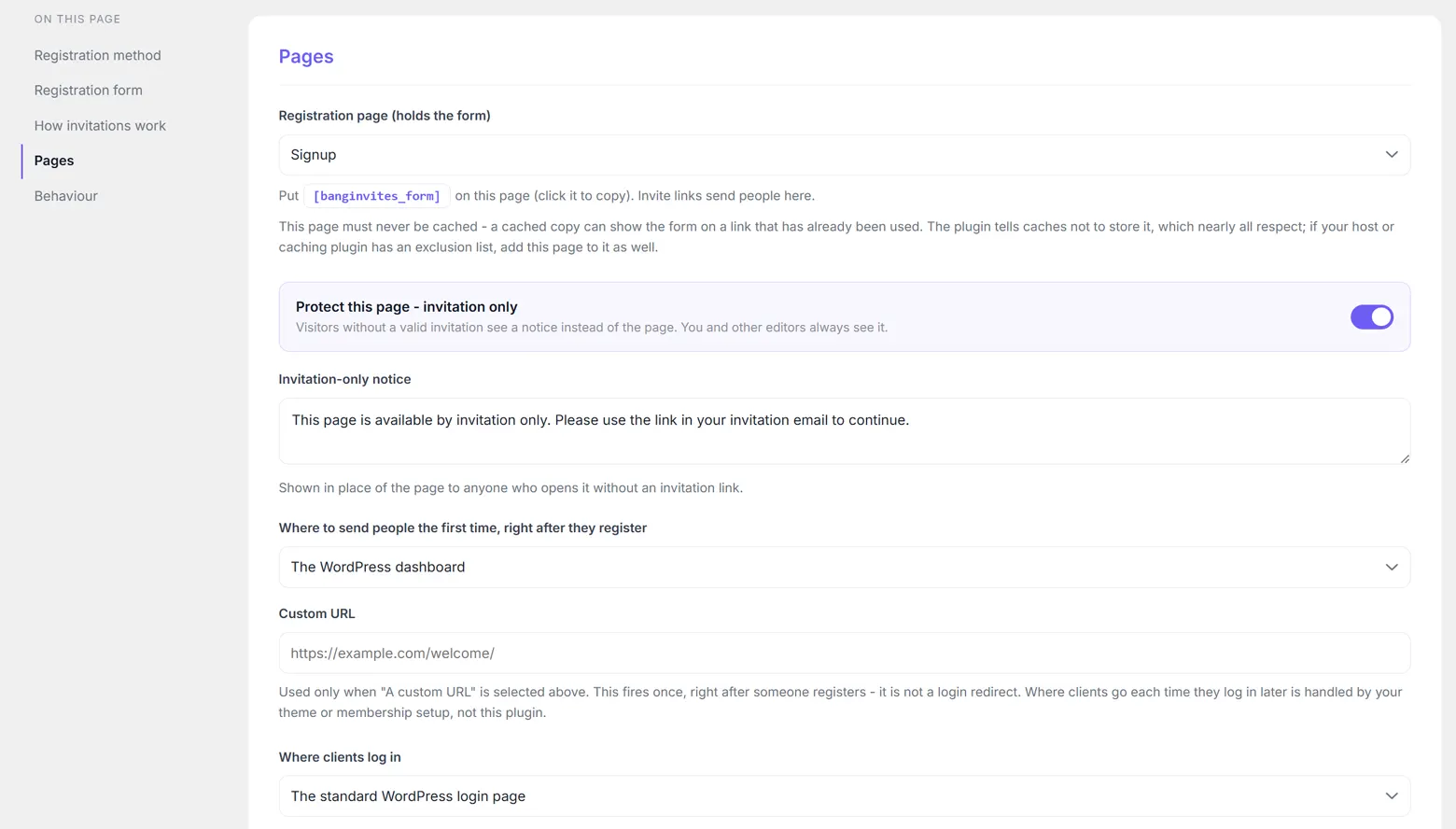
The Invite tab checks two things and tells you if either is missing: that a published page is selected, and that the page actually contains the shortcode. It reads the page's stored content to do it, so a page built entirely inside a builder's own data may not be recognised even when it is correct. If you are certain the form is there, send yourself an invitation and see.
If you never choose a page, links fall back to /portal-setup/ on your own domain, which on most sites does not exist. That is a deliberate, obviously-broken default rather than a silent one: an invitation that lands on a 404 is easier to diagnose than one that lands on your home page.
Keeping it invitation-only
Protect this page - invitation only is on by default, and it is what stops the page being a public registration form for anyone who finds the URL. With it on, a visitor who opens the page without a valid invitation link sees a short notice in place of the page content instead of the form.
You can rewrite that notice in the box below the switch. The default reads:
This page is available by invitation only. Please use the link in your invitation email to continue.
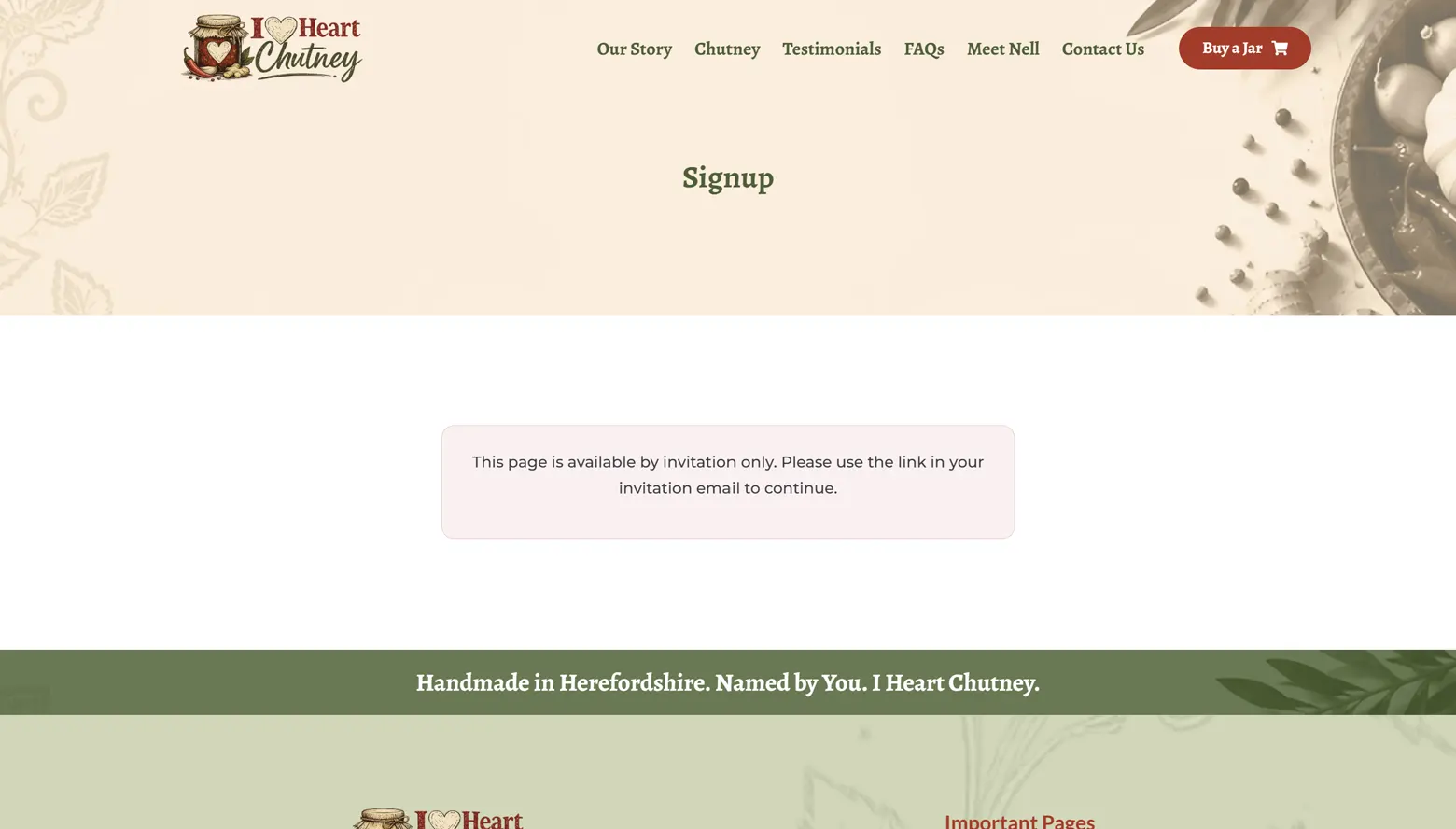
Two things are worth knowing about how the guard behaves:
- You always see the real page. Anyone who can create users, which means you and your editors, is let straight through, so the page can be edited and previewed normally. Log out, or use a private window, to see what a visitor sees.
- It runs late, on purpose. The notice replaces builder output rather than being painted over by it, so page builders such as Elementor cannot show the form underneath.
When a link is present, the page steps back and lets the form's own messaging handle it, so a valid link shows the form and a used or expired one gets a clear explanation rather than the generic notice. Those messages are covered in What the invited person sees.
This page must never be cached
This is the one hosting detail worth reading properly, because when it goes wrong the symptom is alarming and the cause is invisible: a link that has already been used still shows the registration form, because a page cache is serving a copy saved before the invitation was accepted.
The plugin defends against every class of cache it can reach, using the same layered approach WooCommerce uses to keep checkouts out of caches:
| Layer | What it covers |
|---|---|
| No-cache headers | Browsers, standards-respecting CDNs and proxies. |
The DONOTCACHEPAGE constant | WordPress caching plugins: WP Rocket, W3 Total Cache, LiteSpeed Cache, WP Super Cache, SiteGround and others all check for it by that exact name. |
X-LiteSpeed-Cache-Control | LiteSpeed servers running their built-in page cache with no plugin installed. |
| A session cookie | Platform caches that overwrite the origin's headers with their own and cache the page regardless. 20i's StackCache is one. Such caches do respect a response that sets a cookie, treating it as dynamic. The cookie is session-length, value-free and set only on these requests. |
That covers virtually every host and caching plugin. If yours still stores the page, add the registration page to the host's cache exclusion list and purge the cache once. On 20i that is StackCache > Cache Exclusions. Enter the page's path, for example /portal-setup/.
Next
With the page in place, Sending invitations is the last step before your first link goes out.
Still stuck?
Write to me and it is me who answers, not a ticket queue. Tell me what you expected and what happened instead.


